THE STORY BEHIND THE VIDEO
Make complex technology click.
Polycam · DJI · CapCut
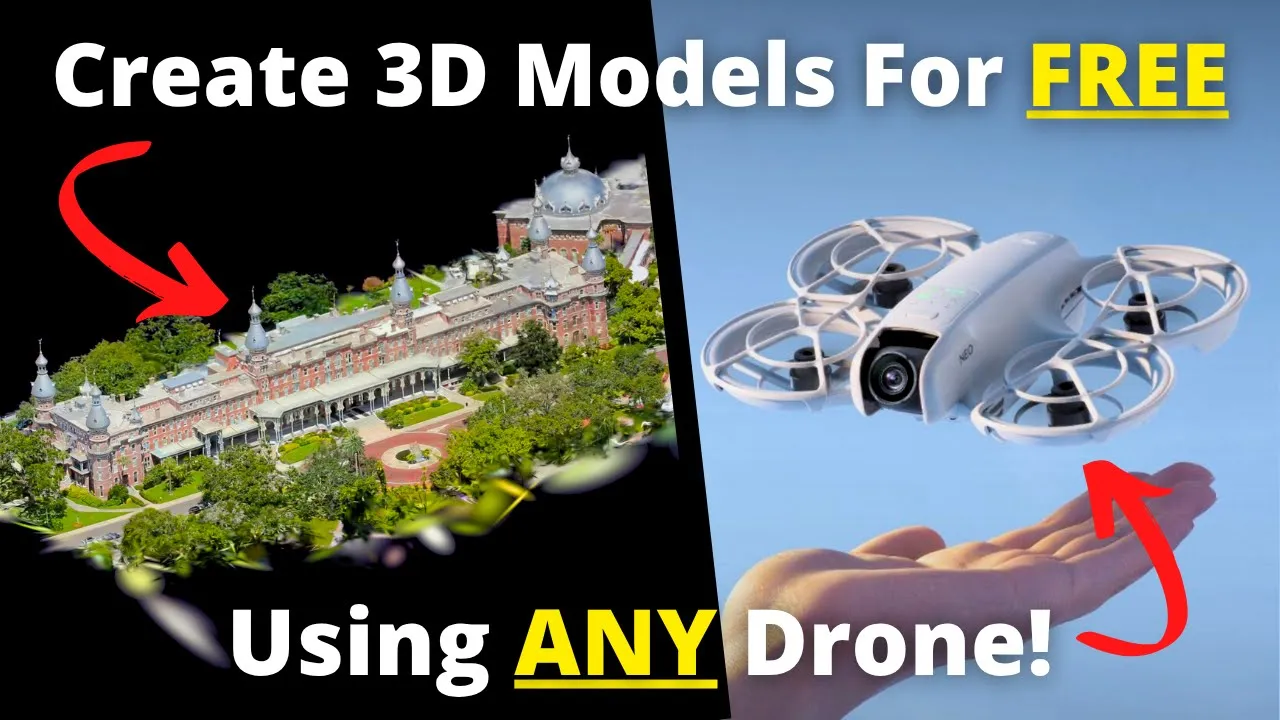
Gaussian splatting becomes a story anyone can follow. Familiar drone footage turns into an immersive 3D model, connecting the software to a tangible result.
Create 3D Models For FREE With ANY Drone!
576K
YouTube views
Views checked 14 September 2026. Featured companies and tools describe the published video.
01 / THE BUYER’S QUESTION
What if the drone you already own could create an immersive 3D scene?
Dylan opens with a college-campus model created using an entry-level DJI Neo and the free software workflow demonstrated in the video. The surprising result creates a reason to watch; the promise to explain the entire process creates a reason to stay. This is an independent editorial example: Dylan explicitly states that Polycam did not sponsor the video and that he pays for his own account.
02 / INSIDE THE STORY
From curiosity to understanding.
00:39–06:02 / Turn a new idea into something familiar.
Dylan explains photogrammetry before introducing Gaussian splatting as another way to reconstruct a scene. Then he takes the viewer into the field to record a full orbit of the campus building. Camera setup, coverage, movement, and the free upload-length limit are introduced as practical parts of achieving the result.
06:02–11:58 / Show the steps between footage and a model.
The raw flight is longer than the free upload allowance shown in the video. Dylan uses CapCut to trim it while retaining coverage around the subject, exports the footage, creates a Polycam account, and starts processing a Gaussian splat. Showing these intermediate steps makes the workflow easier to follow and gives both software tools a clear role in the story.
11:58–17:42 / Deliver the payoff and explain the limits.
While processing runs, Dylan explains why a visually convincing splat should not be treated as a substitute for a measurement-focused photogrammetry workflow. He then explores the completed campus scene, demonstrates additional tools using his paid account, and compares how reflective glass appears in a splat and a traditional model. Viewers see both the attraction of the technology and where it belongs.
03 / WHAT THE VIEWER TAKES AWAY
Understand what looks impressive—and what it is useful for.
Viewers leave with an approachable route from drone footage to an explorable scene. They learn why capture coverage and preparation matter, and they can distinguish visual storytelling from deliverables intended for precise measurement. That context helps someone evaluate the software for visualization, virtual experiences, and presentation without confusing those uses with engineering or survey work.
04 / THE PATH TO ACTION
Invite viewers to try the workflow they have just watched.
In the closing sequence, Dylan directs viewers to the software and resource links, offers drone recommendations for those who need equipment, and encourages them to explore what else Polycam can do. The description also links to the example 3D model, allowing viewers to inspect a result for themselves. He asks whether viewers would use Gaussian splatting, turning the close into an invitation to discuss a practical use case as well as to explore the tools.
This describes the CTA used in the published video. Click-through, lead, and sales results are not reported for this individual story.
WHY THIS MATTERS FOR YOUR BRAND
An independent demonstration can be a strong example of the editorial approach a collaboration would receive. Here, a surprising visual hook leads into accessible teaching, an actual workflow, and a candid discussion of limitations. The product becomes understandable in context, giving potential users a basis for deciding where it fits.
What could your product help someone do?
Let’s build a story around that answer. We’ll shape the narrative, produce it in the field, and publish it to an audience that wants to understand your technology.
A free introductory call. A tailored collaboration outline.